Understanding Impressions, Limits, & Overages
Unlike some apps that count 1 page load as 1 impression, ReelTok counts an impression for every single video that loads inside your widget.
The Formula:
Total Impressions = (1 Page View) × (Number of Video Scenes in the Widget)
Example:
You have a Carousel widget containing 5 videos.
1 customer visits your page.
This counts as 5 Impressions (1 visitor × 5 videos).
Note: This applies even if the customer does not click or watch all of them. Since the widget loaded 5 video thumbnails, it counts as 5 impressions.
2. Plan Limits & Overage Fees
Each pricing plan comes with a specific monthly allowance. If you go over this limit, the app keeps working, but you will be charged a small fee for every extra 1,000 impressions.
Here is the breakdown of limits and overage costs:
Plan Name | Monthly Cost | Impression Limit | Overage Fee (if you exceed limit) |
Starter | $9.99/mo | 30,000 | $5 per 1,000 extra impressions |
Growth | $29.99/mo | 100,000 | $4 per 1,000 extra impressions |
Scale | $89.99/mo | 500,000 | $2 per 1,000 extra impressions |
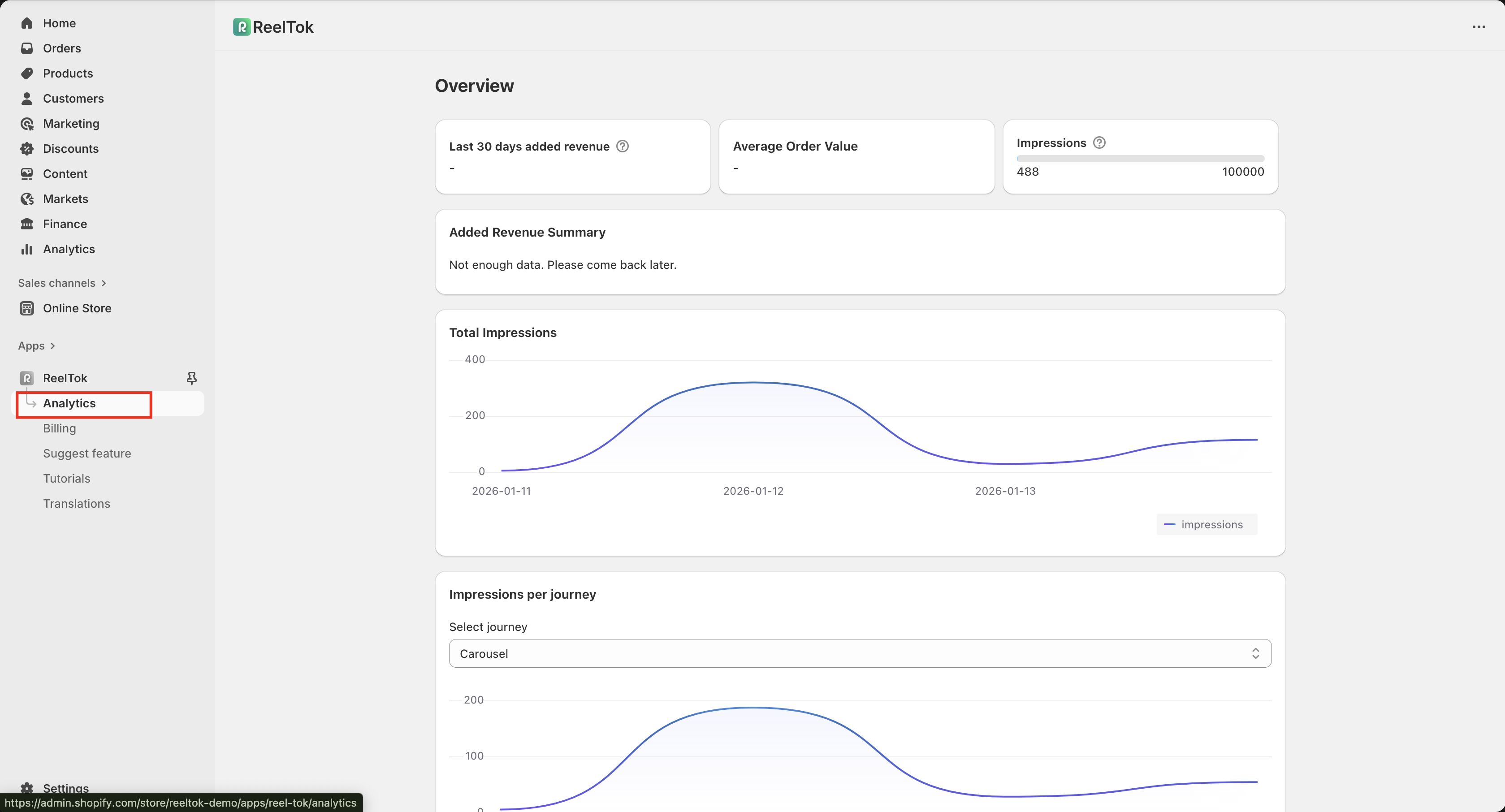
Where to check your usage: You can see exactly how many impressions you have used this month at the top of your Analytics dashboard.
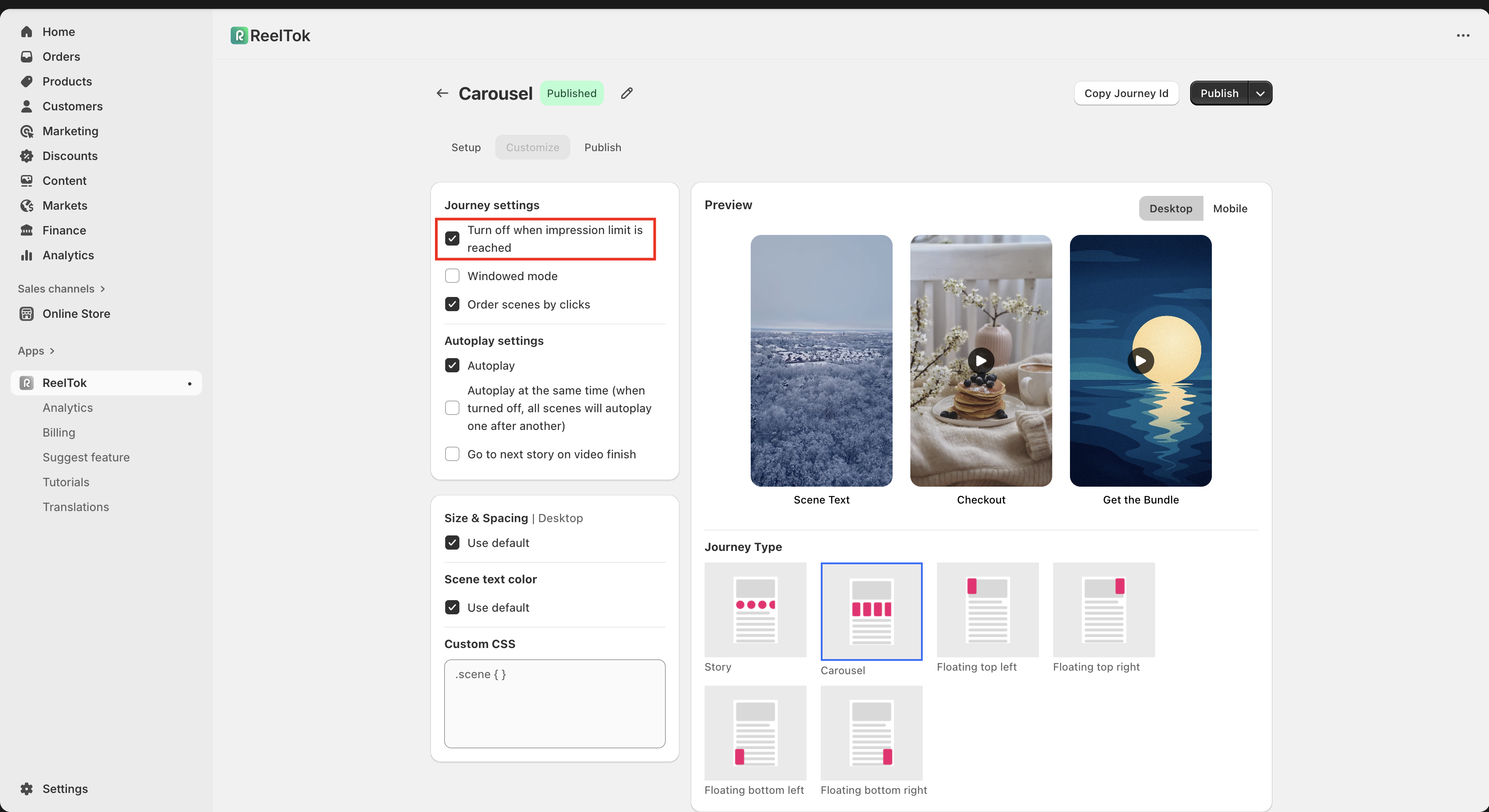
3. How to Prevent Overage Charges (Auto-Hide)
If you do not want to pay extra charges when you hit your limit, you can tell the app to automatically "turn off" the widget instead.
How to enable this setting:
Open the Journey you want to manage.
Click on Customize from the top tabs.
Under Journey Settings, check the box labeled "Turn off when impression limit is reached".
What this does: Once your account hits 100% of its monthly limit (e.g., 30,000 views), this specific widget will simply stop appearing on your store. It will effectively "Draft" itself until your limit resets next month or you upgrade your plan.